What is a system prompt? Why it matters for AI conversations
- Written by
- Jack Limebear
- Published
ListenListen to this article
A system prompt is a clear set of instructions that an AI model follows in every conversation. It defines how the model acts, the tone it uses, its knowledge boundaries, the tools it calls, and which guardrails govern the system. Developers use system prompts to ensure AI models behave consistently across customer interactions.
In this guide, we’ll explore what a system prompt is and how it works, covering examples of system prompts in action and outlining the best practices you can follow to write your own.
Summary
- A system prompt defines an AI’s role, tone, and boundaries across all of its interactions.
- System prompts sit at a higher level than user prompts, controlling conversational behavior.
- Every major AI platform applies system prompts.
- Strong system prompts use clear sections, guardrails, and tool instructions.
- System prompts evolve as your system does, with developers refining them based on reviewing conversations with customers.
What is a system prompt?
A system prompt is the instruction layer that runs before a user ever types a message. A developer or a product team typically writes the prompt to guide a model, with most chat interfaces and APIs treating it as higher-priority context than anything the user types when interacting with the model.
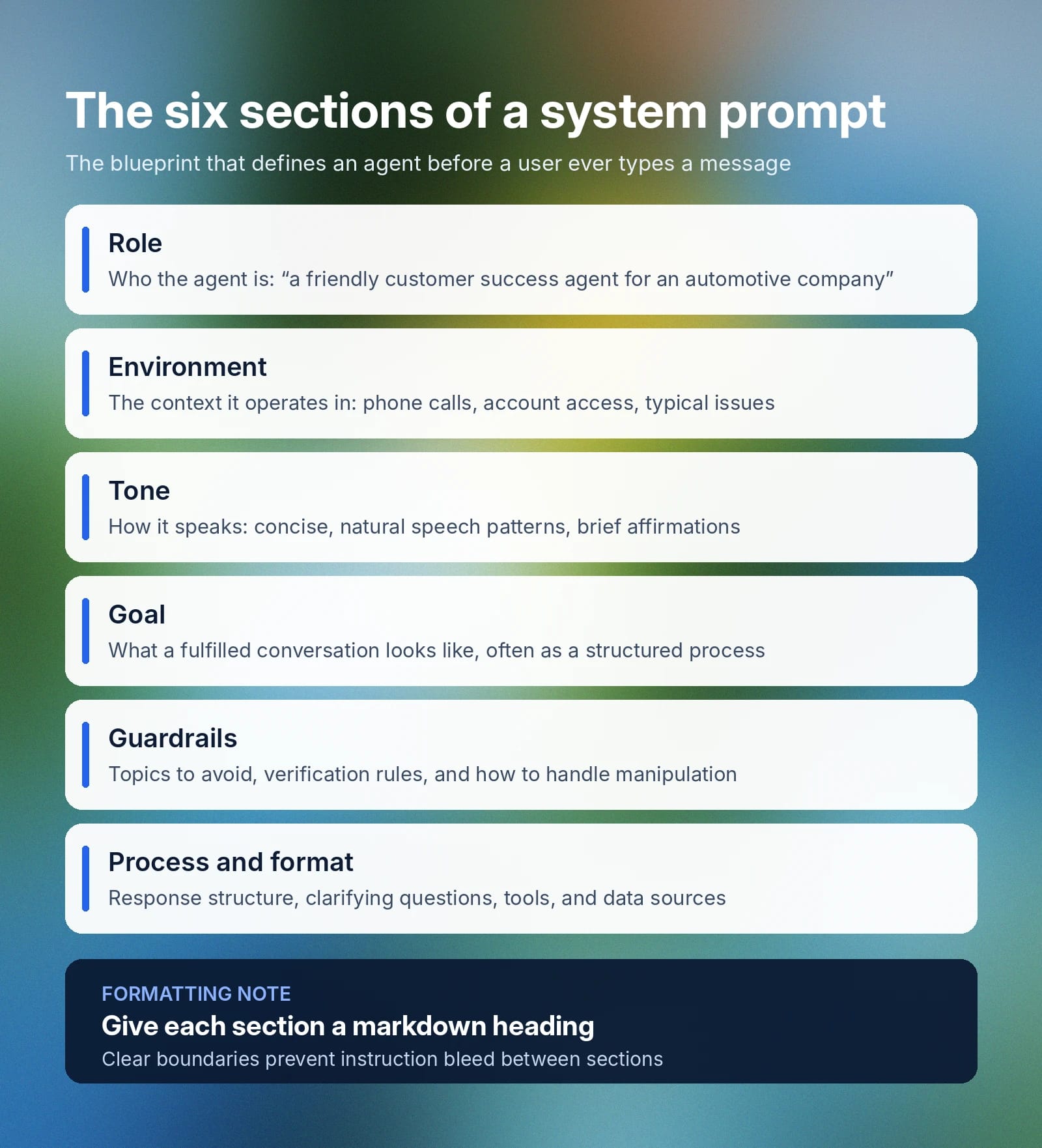
A system prompt defines several core things about a model:
- Role: The exact specification for who a model is meant to emulate or act as for its use case. For example, “You are a friendly and efficient customer success agent for an automotive company.”
- Environment: Defines wider context about the typical interactions that an AI agent will assist with and how to best help. An example would be, “You are helping a customer over the phone during a customer success call. The customer may call with a variety of issues, ranging from inquiries to order information. You have access to a customer’s account history, order history, product details, and the internal catalog.”
- Tone: Guidelines that set how the agent will respond to a user and the kind of language it will use. For example, “Your responses are friendly and concise, you will use natural speech patterns, and you may include occasional affirmations like [warmly] “I understand.”
- Goal: The goal an agent has when attempting to ‘fulfill a conversation’ effectively. This part of the system prompt is often much larger and engages with the nuance of several different goals. Broadly, you may begin this section with something along the lines of, “Your primary goal is to efficiently resolve a customer’s issue or inquiry, providing a positive customer experience throughout the following structured process[…]”
- Guardrails: These outline topics to avoid, information the AI shouldn’t share, what an agent should do when a request falls outside its scope, and how to respond to attempts to manipulate or override its instructions. A brief example is, “Never share sensitive customer data across conversations. Always verify a customer’s identity before accessing account information.” Beyond the system prompt itself, ElevenAgents Guardrails 2.0 protects conversations at three levels, allowing businesses to build robust governance measures to guard against common risk areas.
- Process and format: While not always its own section (sometimes located within Environment), you should outline how you want responses to be structured, when to ask clarifying questions, which tools the AI agent can use, and which data sources it can connect to.
Although businesses can include all of the information above in one large block of text, some agents may prioritize information or pay extra attention to clearly structured headings. Using section boundaries with markdown formatting will provide clarity and prevent instruction bleed, where context from one section impacts another.
Think of a system prompt as the blueprint of an AI agent, defining its role, goals, allowable tools, step-by-step instructions for a task, and guardrails for what the agent should never do.
How is a system prompt different from a user prompt?
A system prompt sits at the highest level of a conversation, informing an AI agent’s underlying behavior in every interaction. A user prompt is what a customer types to provide your agent with something to respond to. It varies based on what the user wants to achieve and is entirely context-dependent. In a customer service agent, the user prompt might ask the chatbot to fetch details of their order. In an image generation tool, a user prompt may ask to create a specific asset.
Here is a table that breaks down the differences between a system prompt and a user prompt in more detail:
Another distinction to make is that while a system prompt controls an agent’s behavior and how it responds, it doesn’t define infrastructural mechanics like turn-taking or which languages an agent can speak.
How system prompts work in AI models
Every major AI system implements system prompts slightly differently, but they typically inform the same processes. A system prompt is placed at the start of the conversation, before the user’s first message, and will define the overarching context a model uses to act and respond.
- System prompts in ChatGPT: Users can add a system prompt to their ChatGPT models through the Custom Instructions tab (navigate to Settings, then Personalization, then Custom Instructions). Developers using the OpenAI API can set the prompt directly with a message.
- System prompts in Claude: System prompts are set by Anthropic and applied globally across web and mobile apps. Users can emulate a custom system prompt by using Claude Projects and adding custom instructions. In API requests, developers can specify system parameters to control model behavior.
- Custom system prompts in other platforms: Generally, the system prompt is configured once in a settings panel for the agent. Defining it within settings or configurations allows an agent to apply that context to every conversation it holds, no matter whether on WhatsApp, in a web app, via phone call, or over SMS.
While the exact configuration method changes across platforms, the behavior of changing the system prompt to alter how a model responds is the same.
For enterprise clients looking to build with AI models, be sure to test your system prompt with 2-3 candidate models. A model’s performance in terms of latency, accuracy, and tool-calling success rate may vary depending on your prompt’s structure and how complex a task is. Explore all of the models available on ElevenAgents.
How to write a system prompt: Best practices and tips
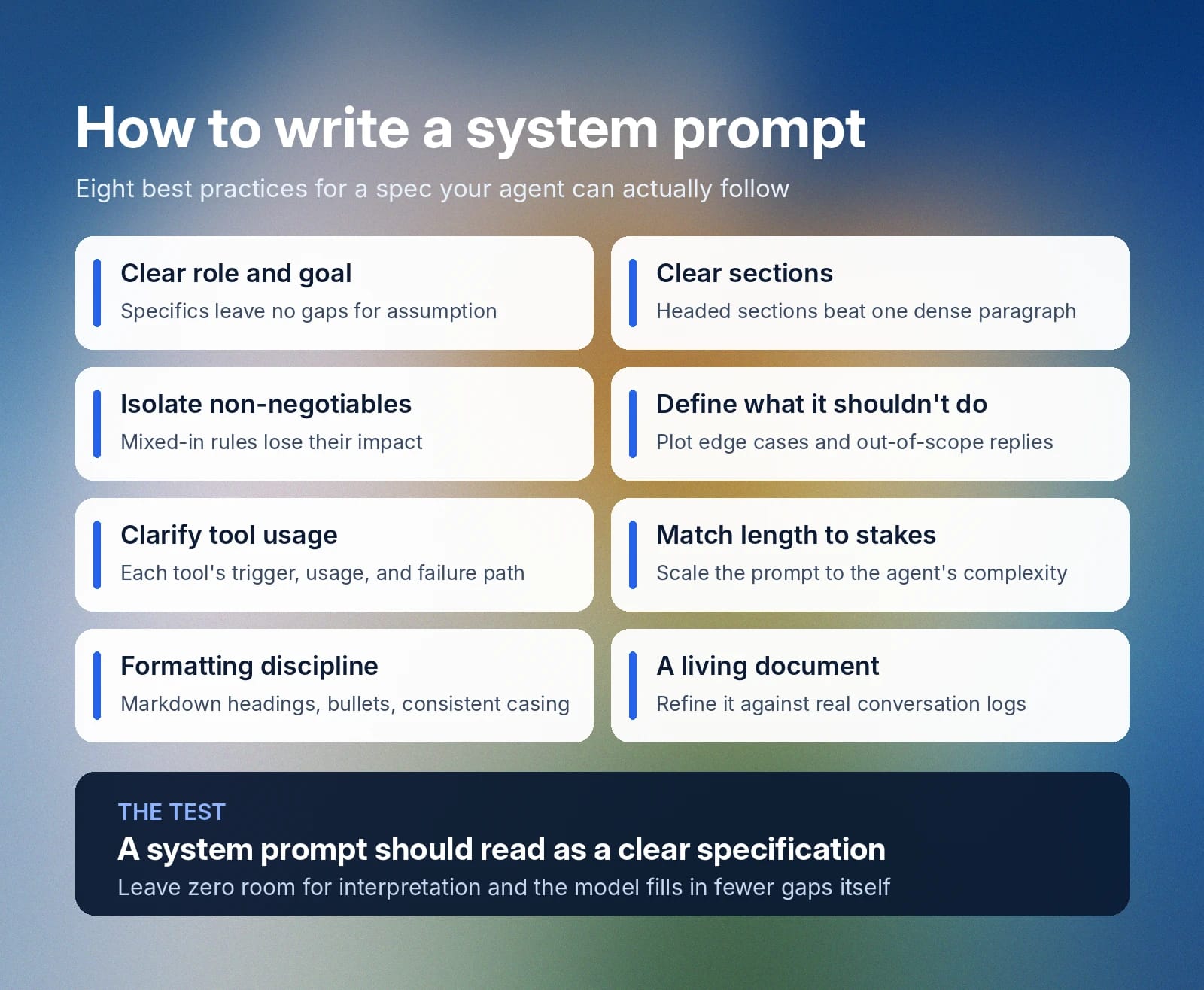
A system prompt should read as a clear specification. When writing your own AI system prompt, follow these best practices to create a robust, detailed guide for your agents to abide by.
Begin with a clear role and goal
The words you include in a system prompt matter, meaning you can’t leave anything up to chance. Simply telling an agent to ‘behave well’ isn’t clear, as what ‘well’ means can depend on context. Instead, always begin with a clear role and a specific goal. The more concretely you depict who the agent is and what you want it to accomplish, the less room the model has to fill in the gaps based on assumption.
Break the prompt into clear sections
A dense paragraph lacks clear markers of where one section ends and the next begins. It also provides no insight in terms of the hierarchy of how important certain instructions may be. Use headed sections to break up your text and present a more logical outline to your model.
Splitting a system prompt into sections also helps your engineers and developers, as they can add or rewrite sections more easily in the future.
Give non-negotiable rules their own section
For any definitive rules that an agent absolutely must not break, you should create a designated section with clear priority. Mixing your non-negotiables into other sections may reduce their impact, potentially creating issues. For example, adding ‘never share customer data’ into your tone section might not read clearly to a model.
It’s always best to leave zero room for interpretation. State things clearly and define your non-negotiables clearly in an independent section.
Define what the AI shouldn’t do
Clearly state what an AI model should do if it encounters an edge use case that it’s not sure how to handle. Plotting out what a model does when it doesn’t know the answer or encounters a request that falls outside of its scope will help to avoid irresponsible AI behavior in edge use cases.
Clarify what tools to call and how to use them
An agent (especially one that serves customers) will likely have a range of tools and functions it can call. If that’s the case, be sure to outline when to use these tools, how to use them, and what to do if a call fails. Be specific here about the exact actions an agent should take and what to do if tools respond unexpectedly.
Match the length to the stakes
A simple demo agent may have a system prompt that’s only a few lines long. Its function is fairly simple, meaning you don’t need pages of documentation that lay out edge use cases and numerous tool call systems. A more complex agent will need a longer system prompt to accurately cover its role and escalation pathways.
Follow system prompt formatting best practices
Where possible, use these formatting best practices for your system prompt:
- Use markdown headings: Each section should have a heading so that the model understands where instructions related to one section end and a new one begins.
- Be consistent: Apply the same formatting structure across your entire page, including using sentence case throughout.
- Use bullet points: Break multi-part instructions into step-by-step lists or bullet points to provide clarity.
Treat it as a living document
System prompts can evolve over time. Review your prompt against real conversation logs to see if it’s effectively meeting customer demands, then refine based on where your agent falls short.
System prompt examples in ElevenAgents
Below are three examples of effective system prompts in ElevenAgents. They follow best practices, present information in a concise style, emphasize critical steps, and include dedicated guardrails sections.
These system prompt examples support three different use cases: a technical support agent, a customer service refund agent, and an appointment scheduling agent.
Technical support agent system prompt example
Customer service refund agent system prompt example
Appointment scheduling system prompt example
Get started with ElevenAgents
Writing good system prompts gives your AI models the instructions needed to perform their specific role in a way that you expect. What ‘good’ means in your case will evolve over time, with new additions or modifications to your system prompts stemming from reviewing customer transcripts and investigating edge use cases.
ElevenAgents gives teams a dedicated system prompt configuration alongside voice, language, and knowledge base settings. Built-in simulations allow you to test how an agent responds to real-world scenarios before anything reaches a customer, with guardrails keeping responses aligned with your company policy.
Explore ElevenAgents for more information or contact sales to get started with your enterprise deployment today.